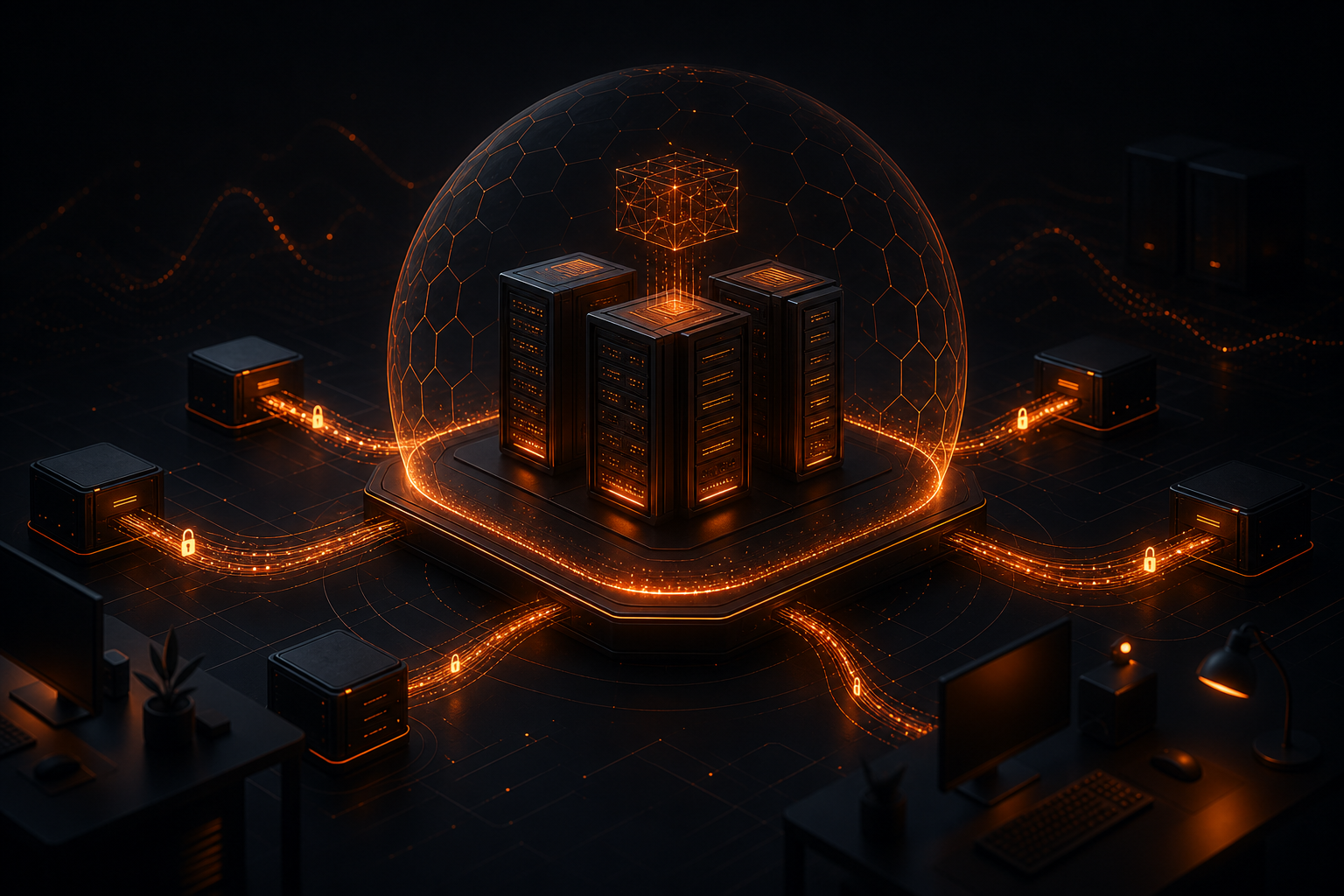
Every prompt you type into a cloud AI tool is a business secret you're handing to a third party. Customer lists, pricing strategies, internal communications, codebases — it all flows through servers you don't control, governed by terms of service you didn't negotiate, subject to data retention policies that change without notice.
Self-hosted AI coworkers flip this equation entirely. You run AI agents on your own server — a VPS you rent, a machine in your office, infrastructure where *you* set the rules. The models process your data in your environment. The outputs stay under your control. There's no telemetry, no training on your inputs, no subscription that locks you in or gets repriced overnight.
This isn't theoretical. By mid-2026, Docker-based AI agent stacks have matured to the point where a non-technical founder can have a private AI team running in under an hour. The tools are real. The privacy guarantees are architectural, not contractual. Let's walk through exactly how this works, what's involved, and where the real tradeoffs live.
Why Self-Hosting AI Coworkers Matters More in 2026
The AI landscape has consolidated rapidly. A handful of platforms now mediate the majority of business AI interactions. This creates three concrete risks that weren't as visible two years ago:
Data exposure is structural. When you use ChatGPT Teams, Google Workspace AI, or Microsoft Copilot, your prompts and documents pass through their inference infrastructure. Their API policies may prohibit training on your data, but the data still *exists* on their servers during processing. For businesses handling regulated data — healthcare, legal, financial — this is often a non-starter without expensive enterprise agreements.
Vendor lock-in compounds. Every workflow you build around a specific SaaS AI tool becomes a dependency. When that tool changes its pricing (as multiple major providers did in 2025), deprecates features, or modifies its output behavior, you absorb the disruption. Self-hosted stacks let you swap models and providers without rebuilding workflows.
Cost structures are unpredictable. Per-seat SaaS pricing for AI tools ranges from $20–$60/user/month. For a ten-person team, that's $2,400–$7,200 annually — recurring, escalating, and tied to headcount rather than value. Self-hosting changes the cost equation from *per person per month* to *per compute hour*, which you control directly.
Self-hosted AI coworkers — AI agents deployed on infrastructure you own or rent (VPS, bare metal, or on-premises server), where data processing, model inference, and orchestration happen within your controlled environment rather than on a vendor's platform.
Anatomy of a Self-Hosted AI Stack
A functional self-hosted AI team isn't a single application. It's a layered system where each component handles a specific responsibility. Understanding these layers helps you make informed decisions about what to build, what to configure, and what to leave alone.
Layer 1: Infrastructure
Your foundation is a server with sufficient compute. In 2026, the practical options break down as follows:
| Option | Monthly Cost | GPU | Best For |
|---|---|---|---|
| VPS (CPU-only) | $20–$80 | No | Cloud API key workflows |
| VPS with GPU | $150–$400 | Yes | Local model inference |
| On-premises server | One-time $2,000–$8,000 | Yes | Maximum data sovereignty |
| Home lab / repurposed workstation | $0 (existing hardware) | Optional | Experimentation |
The critical insight: you don't need a GPU to run self-hosted AI coworkers. If you bring your own API key from a provider like OpenRouter, OpenAI, or Anthropic, the model runs on *their* GPU infrastructure while your server handles orchestration, memory, tool execution, and data storage. The sensitive business data — context, documents, conversation history — stays on your machine. Only the prompt and the specific context window get sent to the API endpoint.
Layer 2: Orchestration
This is the software that coordinates multiple AI agents, routes tasks, manages conversation history, and handles tool calls. In the Docker ecosystem, mature orchestration platforms now handle:
- Agent role definitions — defining what each AI coworker does (research, coding, writing, scheduling)
- Task routing — sending the right task to the right agent based on capability
- Memory management — maintaining persistent context across sessions so agents remember project details
- Tool integration — giving agents access to file systems, APIs, databases, and web browsers
Orchestration is where self-hosted AI shifts from "a chatbot on my server" to "a functional AI team." The difference is continuity: self-hosted agents can maintain state, reference prior work, and collaborate with each other on multi-step projects.
Layer 3: Models
This is your most important architectural decision. You have three paths:
1. Fully local models. Run models like Llama 3.3, Mistral, or Qwen directly on your server's GPU. Cost: $0 per inference after hardware investment. Quality: rapidly improving but still below frontier models for complex reasoning. Best for: drafting, summarization, data extraction, routine coding.
2. Cloud API with your own key. Route through OpenRouter (which gives access to 100+ models), OpenAI, Anthropic, or xAI. You pay per token at the provider's published rate. Quality: frontier-level. Privacy: your data reaches the provider's servers during inference, but under API terms (typically zero retention for API calls). Best for: complex reasoning, nuanced writing, large-context analysis.
3. Hybrid. Use local models for high-volume, low-complexity tasks (summarizing emails, categorizing support tickets) and cloud APIs for demanding work (strategic analysis, complex code generation). This is the approach most businesses land on, and it's where the economics get compelling — you can route 70–80% of tasks to free local models while reserving cloud API spend for high-value work.
Setting Up Your AI Coworkers: A Practical Walkthrough
Here's a concrete setup flow using Docker on an Ubuntu 22.04 VPS. This assumes you want a team of specialized AI agents — not a single chatbot — that can handle different business functions.
Step 1: Provision Your Server
For a cloud-API-based setup, a VPS with these specs handles a team of 3–5 concurrent AI agents comfortably:
# Recommended minimum specs for cloud API workflow
vCPUs: 4
RAM: 16 GB
Storage: 80 GB SSD
OS: Ubuntu 22.04 LTS
Providers like Hetzner, OVH, and Vultr offer these specs for $30–$60/month. Avoid hyperscalers (AWS, GCP, Azure) unless you need their specific compliance certifications — their egress fees and pricing complexity erode the cost advantage of self-hosting.
Step 2: Install Docker and Docker Compose
# Install Docker
curl -fsSL https://get.docker.com | sh

# Add your user to the docker group
sudo usermod -aG docker $USER

# Verify installation
docker --version
docker compose version
Step 3: Deploy Your AI Agent Stack
Using a Docker Compose file, deploy your orchestration platform. Most self-hosted AI team tools ship as a single docker-compose.yml that pulls the necessary images:
version: "3.8"
services:
  ai-team:
    image: officeforge/officeforge:latest
    ports:
      - "3000:3000"
    volumes:
      - ./data:/app/data
      - ./config:/app/config
    environment:
      - OPENROUTER_API_KEY=${OPENROUTER_API_KEY}
      - LOCAL_MODEL_ENABLED=true
    restart: unless-stopped
The ./data volume is where all conversation history, agent memory, documents, and outputs live — on *your* disk, under *your* filesystem permissions. This is the architectural privacy guarantee.
Step 4: Configure Your AI Team Roles
Once deployed, define your agents. A practical starting configuration for a small business:
- Secretary — manages scheduling drafts, email responses, meeting notes, internal communications
- Researcher — performs web research, competitive analysis, fact-checking, data gathering
- Writer — produces blog posts, documentation, proposals, marketing copy
- Developer — writes and reviews code, debugs issues, generates scripts and automations
- Designer — creates layout suggestions, generates image prompts, structures visual documents
Each agent gets a system prompt defining its role, access permissions, and behavioral constraints. The key configuration choice: which model each agent uses. You might assign your developer to Claude 4 via Anthropic's API (strongest at code) while your researcher runs on a local Llama model (cheaper, adequate for web research summaries).
Step 5: Set Your API Keys
Bring your own key from the provider(s) you prefer:
# Example .env file
OPENROUTER_API_KEY=sk-or-v1-xxxxx
# OR individual providers:
OPENAI_API_KEY=sk-xxxxx
ANTHROPIC_API_KEY=sk-ant-xxxxx
XAI_API_KEY=xai-xxxxx
OpenRouter is often the pragmatic choice because it provides a single key for access to models from OpenAI, Anthropic, Meta, Mistral, Google, and xAI. You can switch models per task without managing multiple key rotations.
Security and Data Governance
Self-hosting eliminates the most common AI data risks, but it introduces responsibilities you need to handle deliberately.
Server hardening. Your VPS is only as private as its security posture. At minimum:
- Enable UFW firewall and restrict ports to 22 (SSH), 80/443 (web interface), and your application port
- Use SSH key authentication; disable password login
- Enable automatic security updates:
sudo unattended-upgrades - Run Docker containers as non-root users
- Use Docker secrets for API keys, not environment variables in plaintext
Data at rest. Encrypt your Docker volumes if they contain sensitive business data. LUKS full-disk encryption on your VPS handles this transparently:
# Most VPS providers offer encrypted volumes as an option
# Select this during provisioning — it adds zero runtime overhead
API transit security. When using cloud API keys, data *does* leave your server during inference. Mitigate this by:
- Using providers with explicit zero-retention API policies
- Routing through OpenRouter's privacy-respecting endpoints
- Implementing data minimization in your agent prompts — send only the context needed, not your entire document repository
- Logging all API calls locally for audit trails
Backup strategy. Your self-hosted AI team's knowledge base — accumulated conversation history, document references, learned preferences — is valuable. Back it up:
# Simple cron-based backup to encrypted offsite storage
0 2 * * * tar czf - /path/to/ai-team/data | \
  gpg --encrypt -r your@email.com | \
  restic -r s3:your-backup-bucket backup --stdin
The Economics: A Realistic Cost Comparison
Let's model a 5-person team using AI tools for daily work over 12 months.
SaaS AI Teams (ChatGPT Teams or similar):
- 5 seats × $30/month × 12 months = $1,800/year
- Plus enterprise features: additional $200–$500/year
- Data residency: provider-controlled
- Model choice: limited to provider's offerings
- Total: ~$2,300/year, recurring, increasing
Self-hosted on VPS with cloud API keys:
- VPS: $40/month × 12 = $480/year
- API spend (mixed models, moderate usage): $30–$80/month × 12 = $360–$960/year
- One-time setup cost: $199 (platform license) or $0 (open-source stack)
- Data residency: fully controlled
- Model choice: any model available via API
- Total: ~$1,039–$1,639/year first year; $840–$1,440/year after
Self-hosted with local models (GPU VPS):
- GPU VPS: $200/month × 12 = $2,400/year
- API spend: $0 (all inference local)
- One-time setup cost: $0–$199
- Data residency: fully sovereign
- Model choice: limited to models that fit in GPU VRAM
- Total: ~$2,400–$2,599/year
The hybrid approach — local models for routine tasks, cloud APIs for complex work — typically lands around $1,200–$1,800/year with significantly more capability than either pure approach.
The real cost advantage isn't just annual savings. It's predictability. No surprise price increases. No per-seat scaling as you grow. No features gated behind enterprise tiers.
If you want a pre-configured self-hosted AI team without building the stack yourself, OfficeForge packages five specialized AI coworkers into a single Docker deployment. One-time purchase, your own API keys, your own server. You can compare it against cloud alternatives to see how the numbers work for your specific situation.
Get OfficeForge — $199Maintaining and Evolving Your AI Team
Self-hosting isn't "set and forget" — but it's closer to it than most people expect once the initial setup is done. Here's what ongoing maintenance actually looks like:
Weekly (5 minutes): Check for container updates. Most stacks support docker compose pull && docker compose up -d to update in place.
Monthly (15 minutes): Review API spend. Adjust model routing if certain agents are using expensive models for simple tasks. Most platforms expose per-agent usage dashboards.
Quarterly (30 minutes): Evaluate new models. The open-source model ecosystem moves fast — a model that was inadequate six months ago may now handle tasks you were routing to expensive cloud APIs. Swap model assignments per agent and test.
As needed: Add new agents, adjust system prompts based on what you've learned about effective AI delegation, expand your tool integrations.
The maintenance burden is genuinely lighter than managing a SaaS subscription across a team — where you're handling seat management, permission changes, billing disputes, and feature regressions you can't control.
The Bigger Picture
The shift to self-hosted AI coworkers isn't just a technical decision. It's a philosophical one about where your business's intelligence infrastructure should live.
In 2024, the answer was obvious: cloud SaaS, because self-hosting was too complex. In 2026, Docker-based agent platforms, mature open-source models, and standardized API interfaces have closed that gap entirely. The complexity that remains is *your* complexity — your specific workflows, your specific compliance requirements, your specific cost constraints. And you're the only one who should be solving for those.
Self-hosted AI coworkers give you something no SaaS vendor can: the architectural guarantee that your business data is yours. Not encrypted on their servers under their keys. Not subject to their terms. Not accessible to their employees. Yours, on your server, under your control.
That's not a premium feature. That's a baseline expectation for any tooling that touches your core business operations. And in 2026, it's finally achievable for any business willing to spend an afternoon on setup.
FAQ
What does self-hosted AI coworkers mean?
Self-hosted AI coworkers are AI agents that run on infrastructure you own — typically a VPS or on-premises server — rather than on a vendor's cloud. You control the data, models, and compute. Nothing leaves your network unless you choose a cloud API key.
Can I run AI coworkers without paying a monthly subscription?
Yes. With a one-time setup cost and your own server, you can use free local models for many tasks or bring your own API key from OpenRouter, OpenAI, Anthropic, or xAI. There are no per-seat SaaS fees.
What hardware do I need to self-host AI agents?
A VPS with 4–8 vCPUs, 16 GB RAM, and 80 GB storage handles most workloads. For running local models locally (without cloud APIs), you'll want a GPU instance — even a modest NVIDIA T4 or A10G is sufficient for 7B–13B parameter models.
Is self-hosted AI as capable as cloud SaaS tools like ChatGPT Teams?
Often more capable, because you can mix models per task, run specialized agents simultaneously, and access raw system-level capabilities. The tradeoff is you handle setup and maintenance, though Docker-based stacks reduce this dramatically.
How do I keep data private when using cloud API keys?
Use providers that offer zero-retention API agreements. OpenRouter lets you route to models with explicit no-training clauses. Anthropic and OpenAI both offer API data policies distinct from their consumer products. The key principle: the data transits through your server first, and you control what gets sent.
What is the difference between self-hosted AI and local AI?
Local AI means the model runs on hardware you physically possess. Self-hosted AI is broader — it includes running on a VPS in a data center you rent but fully control. Both give you ownership; self-hosted is more practical for most businesses since it requires no specialized hardware purchases.